
Home›Features›Multiple WordPress Management

Manage Multiple WordPress Sites
from a Single Dashboard

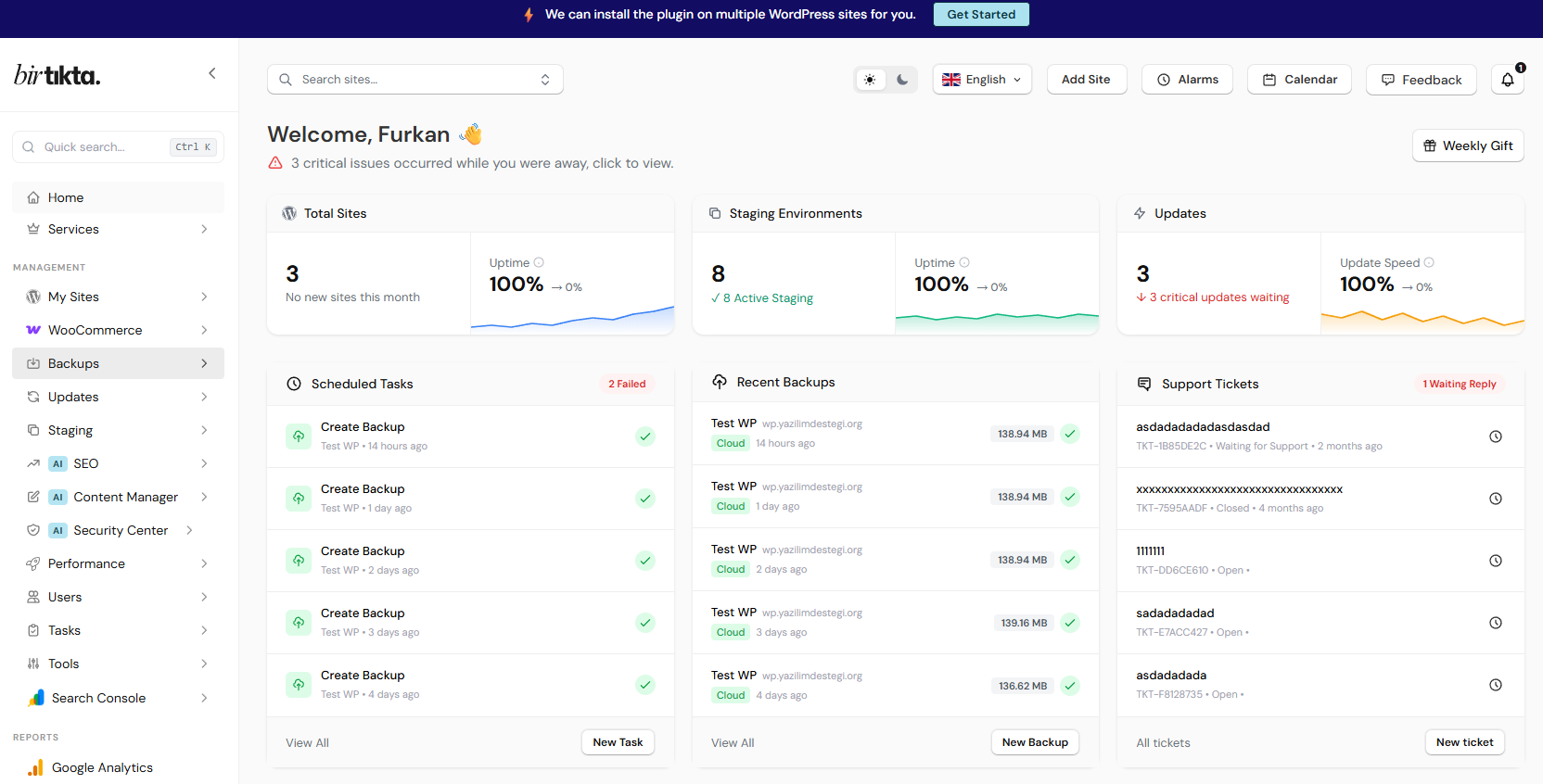
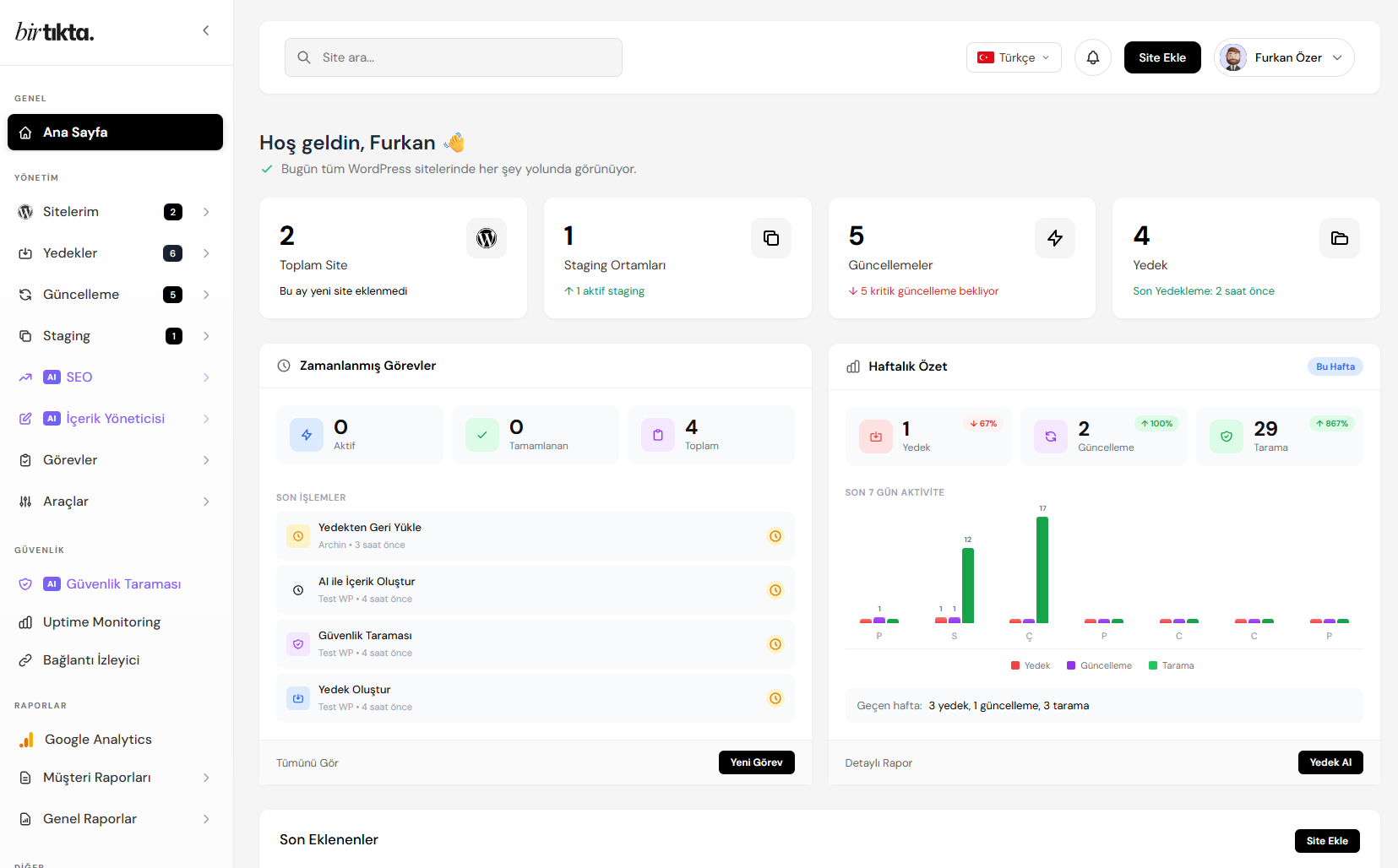
Stop opening dozens of WordPress sites one by one. With Birtikta you handle updates, backups, security scans and reports for multiple WordPress sites from one dashboard. No more signing in to every site separately.

Built for agencies and freelancers, Birtikta is cloud-based, needs no installation, and does not add to your workload as your site count grows. Without setting up Multisite, you can manage independent sites on different servers from the same screen.

Managing multiple WordPress sites from one Birtikta dashboard
Sound familiar?

Managing multiple WordPress sites one at a time is exhausting

One at a Time
Signing In
✕ A separate wp-admin login and password to keep track of for every site.
✓ Reach every site from one dashboard; no separate login per site.
Updates
✕ Checking core, theme and plugin updates on each site individually.
✓ See every site's updates on one screen and apply them in bulk with one click.
Backups
✕ A separate backup plugin, schedule and storage for every site.
✓ Central, automatic and encrypted backups for every site; restore from one place.
Security and Monitoring
✕ Checking site by site to find out which one has a problem or went offline.
✓ Uptime, security score and vulnerability scanning for every site on one board.
Client Reports
✕ Building each client's report by hand and losing hours to it.
✓ Generate and schedule white-label reports automatically.
Scaling
✕ As the number of sites grows, so does the workload and the risk of mistakes.
✓ Whether it is 5 sites or 500, your workflow stays the same and the load does not grow.
Free Trial
No credit card required. Quick setup. Cancel whenever you like.
Often confused

WordPress Multisite or a central management panel?

There are two ways to manage multiple WordPress sites. Which one suits you depends on whether your sites are independent of each other.

WordPress Multisite
Central Panel (Birtikta)
Installation model
A single WordPress installation; all sites share the same database and file structure.
Every site stays fully independent; manages sites hosted on different servers remotely.
Site independence
Sites depend on each other; one problem can affect the whole network.
Sites are isolated; trouble on one does not touch the others.
Different client / different server
Not suitable; every site has to live in the same installation.
Ideal; each client's sites stay on their own servers.
Technical knowledge
Setup and maintenance need server and WordPress expertise.
No setup; open an account and connect your sites.
Best fit
Universities, blog networks and similar setups producing content in one installation.
Agencies and freelancers managing independent sites for different clients.

However many sites you have
they all fit in one dashboard.

Start managing multiple WordPress sites from one dashboard today. Connecting your sites takes minutes, and our team helps you set it up.

Free Trial
✓ 7-day free trial  |  ✓ Unlimited sites  |  ✓ No credit card
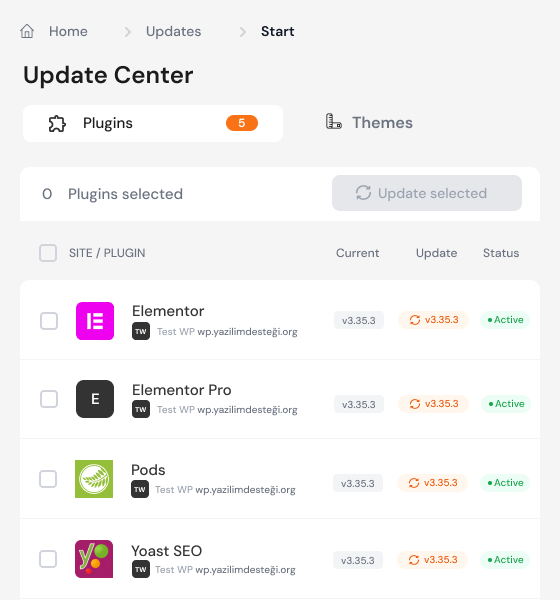
Bulk updates for multiple WordPress sites from one dashboard

Every Site's Updates on One Screen

See every pending update for WordPress core, themes and plugins on a single board . Tell at a glance which update is waiting on which site, then apply them in bulk with one click.

On every update Birtikta compares before and after screenshots of your site. If something breaks it warns you and offers an automatic rollback, so your sites stay safe while you update.
Central Backups for All Your Sites

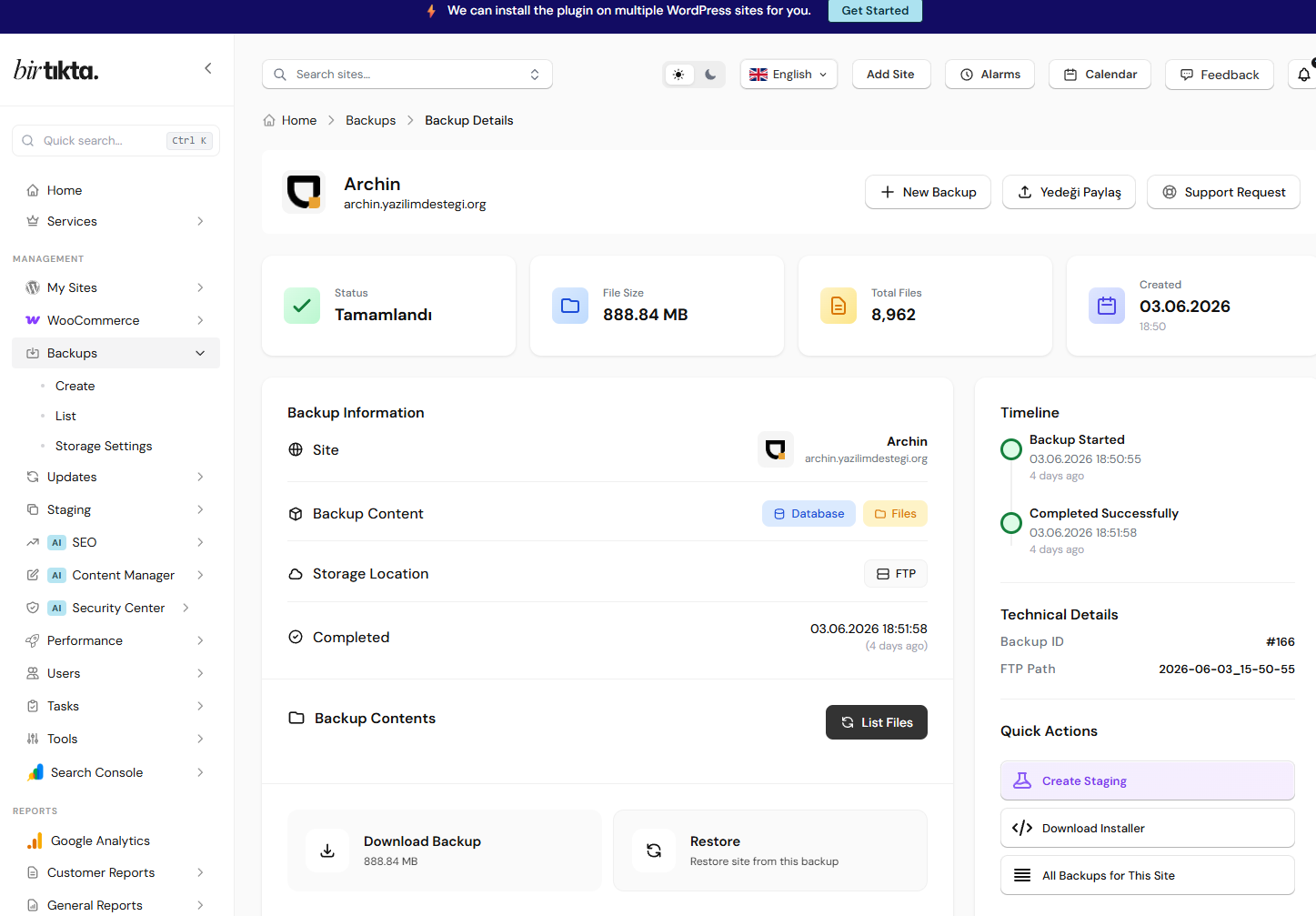
Forget juggling a separate backup plugin per site. Back up multiple WordPress sites automatically or manually from one dashboard, and send the copies to your own server or to cloud storage .

Backups are encrypted and kept on GDPR-compliant infrastructure. Backup integrity is monitored continuously, and one-click restore brings any of your sites back in minutes.

One at a TimeBirtikta
Back up every site from one dashboard✕✓
Central scheduled backups✕✓
Backup integrity monitoring✕✓
Security score across all sites✕✓
One-click restore✕✓
GDPR-compliant EU servers✕✓
Central backup dashboard for multiple WordPress sites
Managing multiple WordPress sites from the mobile app

All Your Sites in Your Pocket

With the iOS and Android apps you can manage multiple WordPress sites from anywhere . When a site goes offline or needs an update you get an instant notification .

Handle an urgent update, backup or security scan from your phone, without sitting at a computer. The status of every site is one tap away.

Ready?

Start managing your multiple WordPress sites from one dashboard

Unlimited sites, one all-inclusive plan and the AI assistant Biri: manage all your WordPress sites from a single place.

Free Trial

Frequently Asked Questions

How do I manage multiple WordPress sites from one dashboard? +

The most practical way to manage multiple WordPress sites from one dashboard is a central WordPress management panel such as Birtikta. Once your sites are connected, you handle every update, backup, security scan and report from a single screen, without signing in to each site separately.

What is the difference between WordPress Multisite and a central management panel? +

WordPress Multisite lets you create many sites on a single installation that share the same database and plugins, so the sites depend on each other. A central management panel like Birtikta lets you manage fully independent WordPress sites, hosted on different servers, remotely from one screen. For independent sites belonging to different clients a central panel fits better; for bulk content production in a single installation, Multisite does.

How many WordPress sites can I manage from one dashboard? +

With Birtikta you can manage an unlimited number of WordPress sites from one dashboard. It is built for agencies and freelancers running dozens or hundreds of sites, and your workload does not grow with the site count.

Can I update multiple sites in bulk? +

Yes. You can apply WordPress core, theme and plugin updates across all your sites in bulk with one click. Birtikta compares before and after screenshots to check whether anything broke, and offers an automatic rollback if needed.

Is Birtikta free for managing multiple WordPress sites? +

You can try Birtikta by creating a free account. There is also a free plan, and you can move to transparent, flat per-site plans as your needs grow. See the pricing page for details.

Power up WordPress with AI.

Save time, tighten security, serve your clients better.

Free Trial